|
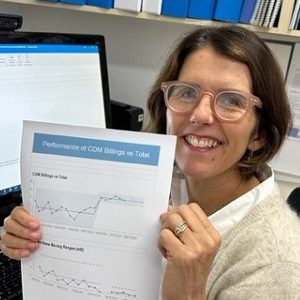
"We're now using the report template for our Board report, and the meetings we have now have doubled in effectiveness because we're discussing the priorities. Thanks and keep up the good work!!" |
|
"I actually used the report template you gave us, to help the CEO on the measures the executive management already have in place. The CEO and executive were all really impressed with the format! It really got their interest and attention!" |
|
"I was shown how to create viable performance report suite that not only aligned to the business strategic vision, but also how to assess the requirements of the reports. With the knowledge that I have gained, I have created a report suite that shows our performance clearly at all levels of management and also at the process level. These reports are now used widely throughout the branch by the extended management team and in other areas of the company." |
Note:
This PuMP How-to Kit is no longer available
(but it will be replaced by a new & vastly more practical version during 2012)
How-to Kit: How to Design Useful and Usable Performance Reports
Note: This PuMP How-to Kit is no longer available
(but it will be replaced by a new & vastly more practical version during 2012)
Unfortunately, many performance reports are
stuffed with useless narrative and tables of statistics and numbers. When
information is presented this way, it means that the only way to glean the
important information from the report is to read it all. Who has the time
to do this, especially when reports are 10, or 20 or even 60 pages long!
You can spend 5 minutes reading through the statistics in a table to determine the direction of a trend in a performance measure, or you can spend 5 seconds looking at a well designed graph of the same set of statistics, and get an even more valid answer!
It's just so important that your performance measures and KPIs are communicated clearly, succinctly, engagingly and in a way that facilitates decision making and performance improvement. No matter whether your reports are paper-based, web-based or dashboard-based, you need to appreciate how to design them so they are clear, succinct, engaging and actionable.
This How-to Kit lays out, in easy to follow instructions supported by examples and a powerful report template, the essential elements of designing the content, structure and layout of performance reports that make performance measures easier and faster to use.
How it helps:
The benefits of using this How-to Kit to help you design your performance reports are many:
- Streamline your reporting process so you focus just on the analysis (and data gathering!) that is necessary for sound performance review.
- Remove useless clutter from your report, by making conscious choices about what information types will answer the questions you need to answer about business performance.
- Make the report faster to read and use by making your information in the report more visually digestible, and organising the report so it has a familiar logical structure.
- More validly interpret your performance results by including traffic lighting rules - based on valid statistical tests of differences in your data - that direct your attention to where it is needed most.
- Focus on results that need your priority attention first, rather than robotically reacting to each individual performance measure, irrespective of its current importance and urgency.
- Enjoy the task of reviewing performance, but giving your reports a signature design that makes the most of colour, layout and formatting.
Who it's for:
- Performance measurement practitioners and consultants who lead and facilitate teams to create and use KPIs or performance measures.
- Corporate Planners who facilitate strategic or operational planning sessions and want to be sure that performance reports support the execution of strategy and review of performance results.
- Business Analysts who want to be proactive in assisting their managers and clients get the most out of their measures via powerfully designed performance reports.
- Managers who want to create the kind of performance reports that will inform their decision making easily and quickly.
- Project Officers who want to measure the impact of their initiatives, goals and project outcomes.
What's included:
This is a fully digital product, and immediately after purchase, you will download the following great resources:
- Easy to follow instruction booklet, well organised, easy to follow and in colour
- Resources including templates, examples and handouts to use with your team and make implementation easy and quick
- Bonus audio of Stacey's exclusive interview with Stephen Few, author of "Information Dashboard Design" and "Now You See It"
How to order:
This PuMP How-to Kit is no longer available (but it will be replaced by a new & vastly more practical version during 2012).
If you have any questions about this product, please email us at info@staceybarr.com and we will respond within 48 hours (usually much faster).

Stacey Barr
the Performance Measure Specialist